
Introduction
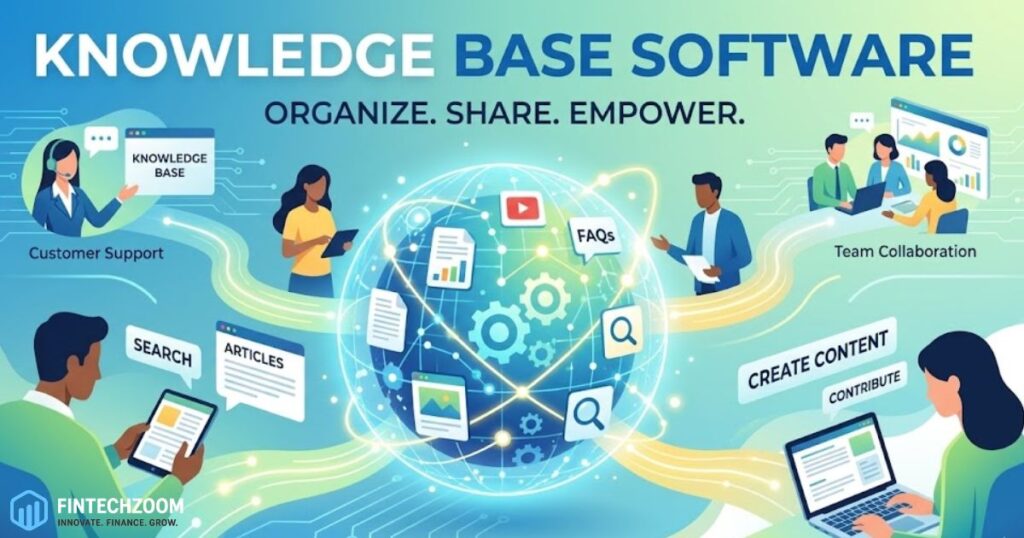
In the modern corporate landscape, information is the most valuable currency. However, the true value of information is only realized when it is accessible, organized, and searchable. This is where knowledge base software becomes an indispensable tool for growing organizations. By acting as a centralized repository for company wisdom, technical documentation, and procedural guides, these platforms eliminate the “information silos” that often hinder productivity. When employees spend less time searching for answers and more time executing tasks, the entire operational efficiency of the business scales upward.
The implementation of a robust system for managing data is not just a technical upgrade; it is a cultural shift toward transparency and self-service. Whether used internally to onboard new hires or externally to provide customers with troubleshooting guides, the right digital infrastructure ensures that the most accurate information is always at the user’s fingertips. As remote work and global collaboration become the standard, having a “single source of truth” allows teams to remain aligned regardless of their time zone or physical location. This guide explores the multifaceted benefits of organizing institutional intelligence and how it transforms the way we work.
Streamlining Internal Communication Channels
The primary obstacle to organizational speed is often the friction caused by repetitive questioning. In many offices, senior staff members spend a disproportionate amount of their time answering the same foundational questions for different team members. By documenting these answers in a structured digital format, a company creates a self-sustaining ecosystem where employees can find what they need without interrupting their colleagues. This shift from a “push” model of communication to a “pull” model empowers individuals to take ownership of their own learning and problem-solving processes.
Beyond just answering questions, a centralized documentation system serves as a historical record of company decisions and project evolutions. When a team member leaves the organization, their specialized knowledge often goes with them if it has not been properly cataloged. Capturing this “tribal knowledge” ensures that the departure of a single individual does not result in a significant loss of operational capacity. This continuity is vital for maintaining high standards of quality and ensuring that new team members can build upon the work of their predecessors rather than starting from scratch.
Enhancing the Customer Support Experience
From a customer-facing perspective, providing a portal for self-help is one of the most effective ways to increase satisfaction. Modern consumers are increasingly inclined to solve their own problems through search engines and help centers rather than waiting in a phone queue or for an email response. A well-organized library of troubleshooting steps, video tutorials, and frequently asked questions allows customers to find resolutions instantly. This immediate gratification builds trust in the brand and reduces the frustration typically associated with technical difficulties or service inquiries.
Furthermore, a comprehensive external help center significantly reduces the workload on support agents. When the most common “how-to” queries are handled automatically by the documentation portal, agents are free to focus their expertise on complex, high-value issues that require a human touch. This leads to faster resolution times overall and allows the support department to operate more cost-effectively. By treating documentation as a product in itself, companies can create a seamless user journey that guides the customer from initial confusion to a successful outcome without ever needing to open a support ticket.
Accelerating the Employee Onboarding Process
The first few weeks of a new job are often a whirlwind of new names, tools, and protocols. A structured information hub acts as a compass for new hires, providing them with a clear path through the complexities of their new environment. Instead of feeling overwhelmed by a lack of direction, employees can follow curated onboarding modules that introduce them to the company culture, technical workflows, and departmental expectations. This organized approach reduces the “time-to-value,” meaning new employees become productive contributors much faster than they would in a less structured setting.
Consistency is another major benefit of using a digital repository for training. When every new hire has access to the same set of high-quality materials, the company ensures that its standards are communicated uniformly across the board. This eliminates the risk of “information drift,” where different mentors might provide slightly different versions of the same process. As the company grows, this scalability becomes essential. Training five people at once is vastly different from training five hundred, and a digital documentation strategy is the only way to maintain quality control at that scale.
Improving Content Searchability and Discoverability
Having a vast amount of information is only useful if that information can be found in a matter of seconds. Modern documentation platforms utilize sophisticated search algorithms that go beyond simple keyword matching. They employ natural language processing to understand the intent behind a query, suggesting the most relevant articles even if the user does not use the exact terminology. This level of discoverability is what separates a truly effective information hub from a mere collection of static files or scattered documents.
To maximize discoverability, content must be organized into a logical hierarchy with clear categories and tags. This allows users to browse through topics intuitively, much like they would in a well-organized library. The use of “related articles” and “frequently read” sections further guides users to the information they need, often answering follow-up questions before they are even asked. By prioritizing the user experience in the design of the information architecture, organizations ensure that their knowledge assets remain alive and active rather than buried in an inaccessible digital graveyard.
Collaborative Content Creation and Maintenance
A repository of information is only as good as its last update. In a fast-moving industry, processes change, software updates are released, and old methods become obsolete. To prevent the library from becoming outdated, the system must support collaborative editing and version control. By allowing multiple subject matter experts to contribute to and refine articles, the organization can ensure that the documentation reflects the most current best practices. This “crowdsourced” approach to internal intelligence keeps the content fresh and accurate.
Workflow management features, such as “review reminders” and “owner assignments,” help maintain accountability. If an article hasn’t been updated in six months, the system can automatically notify the responsible party to verify its accuracy. This proactive maintenance prevents the spread of misinformation, which can be more damaging than having no information at all. When the entire team feels a sense of ownership over the collective intelligence of the firm, the quality of the documentation naturally rises, creating a more reliable resource for everyone involved.
Data-Driven Insights and Analytics
One of the most overlooked benefits of digital documentation portals is the wealth of data they generate. Analytics can reveal exactly what users are searching for, which articles are the most helpful, and where there are gaps in the existing information. If dozens of users are searching for a specific topic but finding no results, the organization has a clear indicator that a new guide needs to be written. This feedback loop allows the content team to prioritize their efforts based on actual user needs rather than guesswork.
On the customer side, these insights can inform product development. If a high percentage of help center traffic is directed toward a specific feature’s troubleshooting page, it may indicate a design flaw that needs to be addressed in the next software update. Internally, managers can see which departments are the most active in the knowledge hub, potentially identifying areas where more training is required. Turning documentation interactions into actionable data transforms the knowledge base from a passive resource into a strategic asset for business intelligence.
Integration with the Modern Tech Stack
For an information hub to be truly effective, it cannot exist in a vacuum. It must integrate seamlessly with the tools the team already uses every day, such as project management software, communication apps, and customer relationship management systems. When a support agent can pull up a relevant help article directly within their chat interface, or a developer can link to a technical specification within a task ticket, the workflow becomes fluid and uninterrupted. These integrations ensure that knowledge is delivered exactly when and where it is needed.
Furthermore, the rise of artificial intelligence has introduced new possibilities for information delivery. AI-powered bots can now “read” the documentation and provide summarized answers to users in real-time. This reduces the need for users to even click through to an article, providing an even faster route to resolution. As these technologies continue to mature, the gap between “asking a question” and “receiving an answer” will continue to shrink. By investing in a platform that prioritizes connectivity and modern API support, organizations future-proof their intelligence infrastructure against the next wave of technological innovation.
Comparison of Knowledge Sharing Methods
| Feature | Shared Folders / PDF | Wiki-Style Software | Dedicated Knowledge Base |
| Searchability | Low (File names only) | Moderate (Keyword based) | High (AI & NLP Search) |
| Maintenance | Difficult / Manual | User-dependent | Automated Reminders |
| Analytics | None | Basic Page Views | Deep Search & Gap Analysis |
| User Experience | Fragmented | Text-heavy | Multi-media & Interactive |
| Access Control | Basic Permissions | Open / Collaborative | Granular Role-based |
FAQs
What is the difference between an internal and external knowledge base?
An internal version is restricted to employees and contains sensitive data like HR policies, internal workflows, and private project details. An external version is public-facing and focuses on helping customers understand and troubleshoot a product or service.
How do I encourage my team to actually use the software?
Adoption starts with making the tool the “path of least resistance.” If managers refuse to answer questions that are already documented and instead point to the link, employees will quickly learn to check the documentation first. Recognizing and rewarding top contributors also helps build a culture of sharing.
Does a small business really need this type of software?
Yes. Even a team of two or three people benefits from documenting their processes. It makes future hiring much easier and ensures that if one person is unavailable, the business can continue to operate without a hitch.
Conclusion
Implementing knowledge base software is a transformative step for any organization looking to optimize its operations and empower its workforce. By centralizing information, enhancing searchability, and fostering a culture of collaborative documentation, businesses can break down the barriers that slow down progress. The result is a more agile, informed, and efficient team that can focus on innovation rather than basic information retrieval. Moreover, the benefits extend directly to the customer, who enjoys faster support and a more empowered self-service experience.
As the volume of digital information continues to grow, the ability to manage that information effectively will become a primary competitive advantage. The organizations that succeed in the future will be those that treat their collective intelligence as a living, breathing asset that requires careful cultivation and the right technological support. Investing in a robust documentation strategy is not just about organizing files; it is about building a foundation for sustainable growth and a more connected, intelligent workplace. In the end, the goal is simple: ensuring the right person has the right information at the right time, every time.