Short-form video has a strange relationship with permanence. A clip can reach millions of people in an afternoon and then become almost impossible to find a month later, buried under a feed that never stops moving. Anyone who makes or relies on short videos for work, whether that is a small brand, a teacher, a freelancer building a portfolio or a creator tracking their own progress, eventually runs into the same question: how do you keep a usable copy of a video outside the app it was published in?
The answer usually comes down to file format, and for most people the sensible choice is MP4. This article explains what MP4 actually is, why it remains the default for storing and reusing short clips, and what to keep in mind before you save anything to your own device.
What MP4 actually is
MP4 is a container format. Think of it as a box that holds several things at once: a video stream, an audio stream and some information about how the two fit together. The box itself does not decide how good the picture looks. That job belongs to the codec used to compress the video inside it, and in most MP4 files you meet today the video is encoded with H.264 and the audio with AAC.
That combination matters because it is supported almost everywhere. Phones, laptops, smart TVs, browsers, presentation software and video editors can all open an H.264 MP4 without extra plugins. When you save a clip as MP4, you are choosing the format with the fewest surprises later.
Why compatibility beats everything else
There are technically more efficient formats. Newer codecs can produce smaller files at the same visual quality, and some platforms use them internally. The trouble is that efficiency is useless if the file will not play where you need it. An editor that refuses to import a clip, a client who cannot open an attachment or a slide deck that shows a blank frame in the middle of a presentation costs far more time than a few extra megabytes of storage.
MP4 avoids those problems because it has been the common denominator for years. For a business that keeps a library of short promotional clips, or a creator who wants to re-edit an older video into a new one, predictability is the main feature.
The quality problem with screen recording
Many people try to keep a copy of a video by recording their screen while it plays. It works, but the result is a copy of a copy. The original clip is decoded, displayed, captured and then compressed again, and each step throws away detail. You also tend to capture interface elements, notifications, the status bar and whatever sound your device makes in the meantime.
Saving the original file avoids all of that. You get the video at the resolution it was uploaded in, with clean audio and no stray overlays. If the clip is going into an edit, a training archive or a portfolio, that difference is easy to see.
Watermarks and why people want to avoid them
When you use the built-in save option on TikTok, the exported file normally carries a watermark with the platform logo and the creator’s username. That is useful for attribution when a clip is shared elsewhere, but it gets in the way when you are archiving your own content or preparing it for an edit, where a floating logo can clash with captions, cropping and other branding.
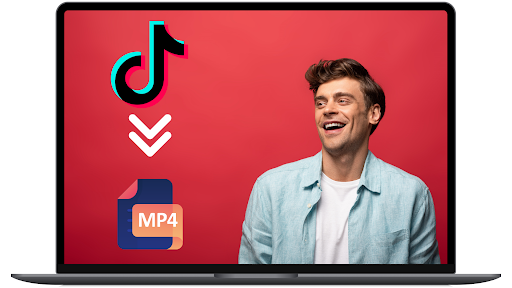
This is why tools that convert a TikTok link into a clean file have become popular. If you are saving your own videos, or videos you have permission to reuse, a tiktok to mp4 converter lets you paste the video link and get an MP4 without the watermark at its original quality. The process is short: copy the link from the Share menu, paste it into the converter and download the file.
A sensible way to organise saved clips
Once you start keeping copies of short videos, the library grows quickly. A few habits make it much easier to manage:
- Name files consistently. A pattern such as date, account and topic, for example 2026-11-campaign-launch.mp4, makes searching far easier than the random strings files often arrive with.
- Keep the original link. Store the source URL in a simple spreadsheet or in the file notes. It records where the clip came from and who made it.
- Separate raw files from edits. Keep untouched originals in one folder and edited versions in another, so you never overwrite the best-quality copy.
- Back up in two places. A cloud folder plus an external drive is enough for most people. Phones get lost and accounts get locked.
Respecting the people who made the video
Being able to save a file does not mean you are free to republish it. Short videos are creative work, and the person who made one usually holds the rights to it. A good rule of thumb is simple: save your own content freely, save other people’s content for private reference, and ask before reposting or using anything commercially. When you do get permission, credit the creator clearly.
TikTok also lets creators turn off downloads of their videos in the app’s privacy settings. If a creator has chosen that, it is a clear signal of how they want their work treated, and it is worth respecting even when a workaround exists.
When MP4 is not the right choice
MP4 covers almost every everyday need, but there are a few exceptions. If you only need the soundtrack, for example to transcribe a talk or reuse a voice-over you recorded yourself, an audio format will be smaller and simpler. And if you are working in a professional post-production pipeline, your editor may prefer an intermediate format that is easier to cut and colour-grade. For storing, sharing and lightly editing short clips, though, MP4 remains the practical default.
The bottom line
Short videos move fast, and the platforms they live on are not designed to be archives. Keeping your own copies as MP4 files gives you something that plays everywhere, keeps its original quality and can be reused months later without a struggle. Pair that with tidy file names, a backup and a clear habit of respecting creators’ rights, and a scattered collection of clips turns into a library you can actually use.