Getting paid shouldn’t feel complicated, but for many independent contractors, it still is.
Between sending invoices, tracking payments, managing fees, and staying organized for tax season, it’s easy for cash flow to become unpredictable. That’s where QuickBooks for independent contractors becomes a game-changer.
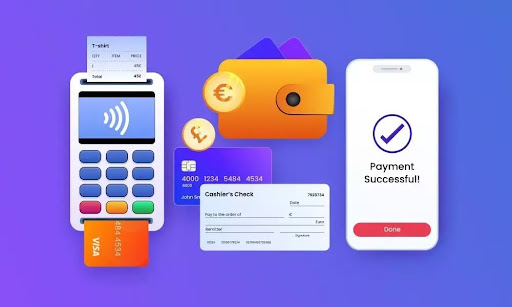
QuickBooks Online doesn’t just help you track income. It gives you multiple ways to receive payments quickly, securely, and professionally.
But here’s the key: not all payment methods are created equal.
Some are faster. Some cost more. Some improve your client experience. And some can quietly eat into your margins if you’re not paying attention.
In this guide, we’ll break down the three primary ways to receive payments in QuickBooks, how they work, what they cost, and how to choose the best option for your business.
Why Payment Systems Matter for Independent Contractors
If you’re an independent contractor, your income depends on one thing: getting paid on time.
And yet, many contractors still rely on outdated methods like:
- Waiting for mailed checks
- Manually tracking invoices in spreadsheets
- Chasing down late payments
That approach creates friction—and friction slows down cash flow.
Using QuickBooks for independent contractors solves this by:
- Automating invoicing
- Providing built-in payment options
- Syncing payments directly to your accounting
- Reducing errors and missed income
It’s not just about convenience. It’s about building a reliable financial system that supports your business growth.
The 3 Main Ways to Receive Payments in QuickBooks
QuickBooks Online offers three core methods for receiving payments. Each has its own advantages depending on how you run your business.
Let’s break them down.
1. Receiving Payments Through Invoices (Most Popular Option)
For most independent contractors, invoicing is the backbone of getting paid.
QuickBooks allows you to create professional invoices and send them directly to your clients via email. Inside those invoices, you can include a “Pay Now” button, which makes it incredibly easy for clients to pay you immediately.
How It Works
- Create an invoice in QuickBooks
- Email it to your client
- Client clicks the payment link
- Payment is processed online
- Funds are deposited into your account
This is one of the simplest and most effective ways to streamline payments.
Payment Options Available to Clients
When you use QuickBooks Payments, your clients can pay via:
- Credit cards
- Debit cards
- Bank transfers (ACH)
- Digital wallets (like Apple Pay or Google Pay)
Fees to Expect
QuickBooks charges transaction-based fees, including:
- ~1% for ACH bank payments
- ~3.5% for credit card or digital wallet payments
- ~$0.30 per transaction
Why This Method Works
This method is ideal because it:
- Speeds up payment timelines
- Reduces back-and-forth communication
- Creates a professional client experience
- Automatically records transactions
For most users, this is the best starting point when using QuickBooks for independent contractors.
2. Recording Manual Payments (Checks, Cash, or External Transfers)
Not every client wants to pay online.
Some still prefer traditional methods like:
- Paper checks
- Bank transfers outside QuickBooks
- Cash payments
QuickBooks allows you to manually record these payments so your books stay accurate.
How It Works
- Receive payment outside QuickBooks
- Open the invoice in QuickBooks
- Click “Receive Payment”
- Match the payment to the invoice
- Record it in your system
This ensures your financial reports remain correct. Even if the payment didn’t happen inside QuickBooks.
When to Use This Method
Manual recording is useful when:
- You have long-term clients who prefer checks
- You accept payments through other platforms
- You want full control over reconciliation
Downsides to Consider
While this method works, it has limitations:
- No automation
- Higher risk of human error
- Slower reconciliation process
Many contractors start here, but eventually transition to digital payments for efficiency.
3. Using Mobile Payments with GoPayment (Best for On-the-Go Work)
If you’re a contractor who works in the field (like a consultant, technician, or service provider), QuickBooks offers a mobile solution called GoPayment.
This allows you to accept payments on-site, right from your phone.
How It Works
- Download the QuickBooks GoPayment app
- Connect a mobile card reader
- Accept payments in person
- Sync transactions automatically with QuickBooks
This is especially useful if you:
- Work face-to-face with clients
- Provide services on location
- Need immediate payment at job completion
Payment Methods Supported
With mobile payments, you can accept:
- Tap-to-pay (contactless cards)
- Chip cards
- Mobile wallets
- Manually entered card details
Fees to Expect
Mobile payment fees are typically:
- Around 2.4% for swiped transactions
- Higher for manually entered payments
Why This Method Works
This method is perfect for:
- Speeding up payment collection
- Reducing unpaid invoices
- Improving cash flow immediately
If you’re tired of waiting days (or weeks) to get paid, this can be a powerful upgrade.
Comparing the 3 Payment Methods
When comparing the three payment methods available in QuickBooks for independent contractors, the biggest differences come down to speed, cost, and convenience.
Online Payments
Receiving payments through invoices with built-in online payment options is typically the most efficient and widely used method. Once you send an invoice, clients can pay immediately using a credit card, debit card, or bank transfer. This significantly speeds up cash flow and reduces the need for follow-ups. While there are transaction fees associated with this method. Especially for credit card payments, the time saved and improved client experience often outweigh the cost. For most independent contractors, this becomes the primary way to get paid because it balances professionalism with efficiency.
Manual Payments
Recording manual payments, such as checks, cash, or external bank transfers, is the slowest of the three methods but still necessary in certain situations. Some clients prefer traditional payment methods, and QuickBooks allows you to log those payments manually to keep your records accurate. The main advantage here is that there are no processing fees. However, the tradeoff is time and potential for human error. Since there’s no automation, you’ll need to ensure each payment is correctly matched to an invoice and reconciled in your books, which can become tedious as your business grows.
Mobile Payments
Using mobile payments through QuickBooks GoPayment is the fastest way to collect money, especially if you work in person with clients. This method allows you to accept payments on the spot using your phone or a card reader, which can eliminate delays entirely. It’s ideal for contractors who provide on-site services and want to avoid outstanding invoices. Like online invoice payments, mobile transactions come with processing fees, but the ability to get paid immediately can make a significant difference in maintaining steady cash flow.
Ultimately, most independent contractors find that using a combination of all three methods works best. Invoicing with online payments handles the majority of transactions, manual recording supports clients who prefer traditional methods, and mobile payments provide a fast, convenient option for in-person work.
How QuickBooks Simplifies Payment Tracking
One of the biggest benefits of using QuickBooks for independent contractors isn’t just receiving payments. It’s tracking them.
Every payment you receive can be:
- Automatically categorized
- Linked to invoices
- Included in financial reports
- Used for tax preparation
QuickBooks keeps everything in one place, which is critical when tax season arrives.
It also helps you avoid common issues like:
- Duplicate entries
- Missing income
- Reconciliation errors
Tax Benefits of Using QuickBooks for Independent Contractors
Let’s talk about something contractors often overlook: tax readiness.
QuickBooks doesn’t just help you get paid. It helps you stay compliant.
With proper setup, you can:
- Track all income sources
- Categorize expenses
- Generate profit and loss reports
- Prepare for 1099 income reporting
For contractors, organization is everything. And QuickBooks gives you a system that supports that from day one.
Common Mistakes to Avoid When Receiving Payments
Even with the right tools, mistakes still happen.
Here are a few to watch for:
1. Not Offering Online Payments
If you’re only accepting checks, you’re slowing down your cash flow.
2. Ignoring Transaction Fees
Fees can add up quickly. Especially with credit cards. Build them into your pricing strategy.
3. Not Matching Payments to Invoices
Failing to reconcile payments properly can create accounting headaches later.
4. Waiting Too Long to Invoice
The longer you wait, the longer it takes to get paid.
5. Overcomplicating Your System
Keep it simple. Use the tools QuickBooks provides instead of layering on unnecessary processes.
When to Upgrade Your Payment Strategy
If you’re still relying on basic methods, it might be time to upgrade if:
- You’re chasing payments regularly
- Your cash flow is inconsistent
- You’re growing your client base
- You want a more professional system
QuickBooks makes it easy to scale your payment processes as your business grows. You can focus your attention elsewhere; like AI Content Marketing Automation or getting leads.
Choose the Right Payment Mix
There’s no one-size-fits-all solution.
The best approach to using QuickBooks for independent contractors is to combine methods strategically:
- Use invoices with online payments for most clients
- Accept manual payments when necessary
- Use mobile payments for on-site work
This gives you flexibility while keeping your finances organized.
We Can Help
Getting paid shouldn’t be the hardest part of running your business, but for many independent contractors, it is. QuickBooks changes that.
By offering multiple ways to receive payments (each integrated directly into your accounting), it helps you:
- Get paid faster
- Stay organized
- Reduce errors
- Prepare for taxes
The key is understanding your options and using them intentionally. If you take the time to build the right system now, you’ll spend less time chasing payments, and more time growing your business.
READ ALSO: How to Build a Strong Remote Engineering Team with Skilled Developers