Making training videos used to eat up weeks. Traditional video creation demanded significant time, resources, and technical expertise. Modern solutions have streamlined the entire process.
Vidnoz AI is a free tool that uses advanced AI to create videos. The platform has ISO/IEC 27001:2022 certification for Information Security Management. This means your stuff stays safe while you work.
Most companies can’t spend thousands and alot so much time on videos. That’s why smart tools like this matter so much for busy teams.
Why Vidnoz AI Works So Well
This tool delivers advanced capabilities through a user-friendly design, making it accessible to everyone.
Key Features That Speed Up Video Creation
1900+ Lifelike Avatars
Pick from 1900 real-looking avatars. They come from all kinds of jobs and backgrounds. You’ll find one that fits what you need.
- Your Digital Twin: Make an avatar that looks just like you
- Expressive Avatar: Show feelings and connect with learners better
- Product Avatar: Show off products like a pro
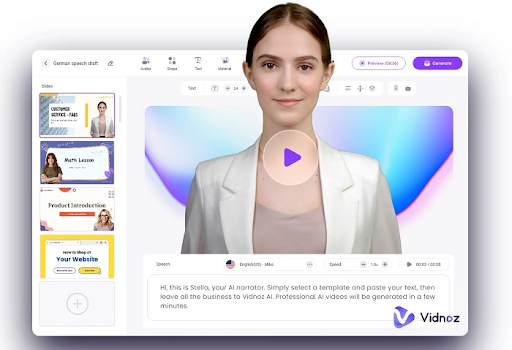
Bring your videos to life with avatars that speak and move naturally, just like real humans.
2000+ Lip Sync AI Voices
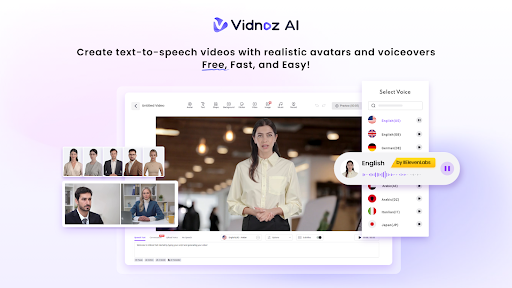
You get 2000+ voices that sound totally natural. They speak 140+ different languages. Big names like ElevenLabs, Microsoft, and Google power these voices.
No awkward delays. No robotic voices. Just perfectly synced, natural speech.
2800+ Pre-Designed Video Templates
Why start from nothing? Grab one of 2800+ templates already made for you. Each one looks professional right out of the box.
Free Daily Use
Enjoy 2 free minutes of video creation every day. Explore all features with zero upfront cost.
How to Create Training Videos in 4 Simple Steps
Just follow these four easy steps, and you will have a polished training video ready to share faster than you think.
Step 1: Choose a Template & Avatar
Look through the templates first. Find one that matches what you want to teach. Then grab an avatar that feels right for your company.
Step 2: Create AI Voiceover
Drop your script into the box. Pick a voice you like from the huge list. Match it to your audience’s language and style.
Step 3: Add Custom Touch
Add in your logo and some background music. You can also Add text boxes or pictures if you want. Everything drags and drops super easily.
Step 4: Generate AI Video and Share
Click create, grab a coffee, and in minutes your finished video is ready to download and share.
Vidnoz AI Products for Different Needs
The company built special versions of their tool for different jobs so you can handle whatever your business throws at you.
AI Video Generator: Great for basic training stuff with tons of ways to change things up.
Video for Sales: Build sales training that actually helps your team close more deals.
AI Content Marketing: Pump out marketing training without burning yourself out.
Real-World Training Applications
From onboarding to team training, Vidnoz AI makes office learning simple and seamless.
Employee Onboarding: Make welcome videos and explain your company culture. Show new people exactly what their job involves. They can watch wheneverit works for them.
Compliance Training: Nobody likes boring safety videos. Spice them up with cool avatars and clear pictures. Track who finished watching, too.
Product Training: Show how stuff works and what to do when things go wrong. When your product changes, just update the video fast.
Soft Skills Development: Teach people how to communicate more effectively and work together. Use example situations that feel real.
Tips for Creating Better Training Videos
Use these smart tricks to make videos people actually want to watch and learn from, not zone out.
Keep each video under 5 minutes. Break big topics into smaller chunks that don’t overwhelm people.
Talk like a normal person. Skip the fancy business jargon unless everyone already knows it.
Always add captions so everyone can follow along. Show a few coworkers first before sending it company-wide.
Conclusion
Making good training videos should not drain your budget or calendar. Vidnoz AI hands you pro-level tools that anyone can figure out.
Between the 1900+ avatars, 2000+ voices, and 2800+ templates, you’ve got everything covered. Those free minutes let you test drive without spending a dime.
Stop wasting weeks on video projects. Start cranking them out in minutes with Vidnoz AI instead.